
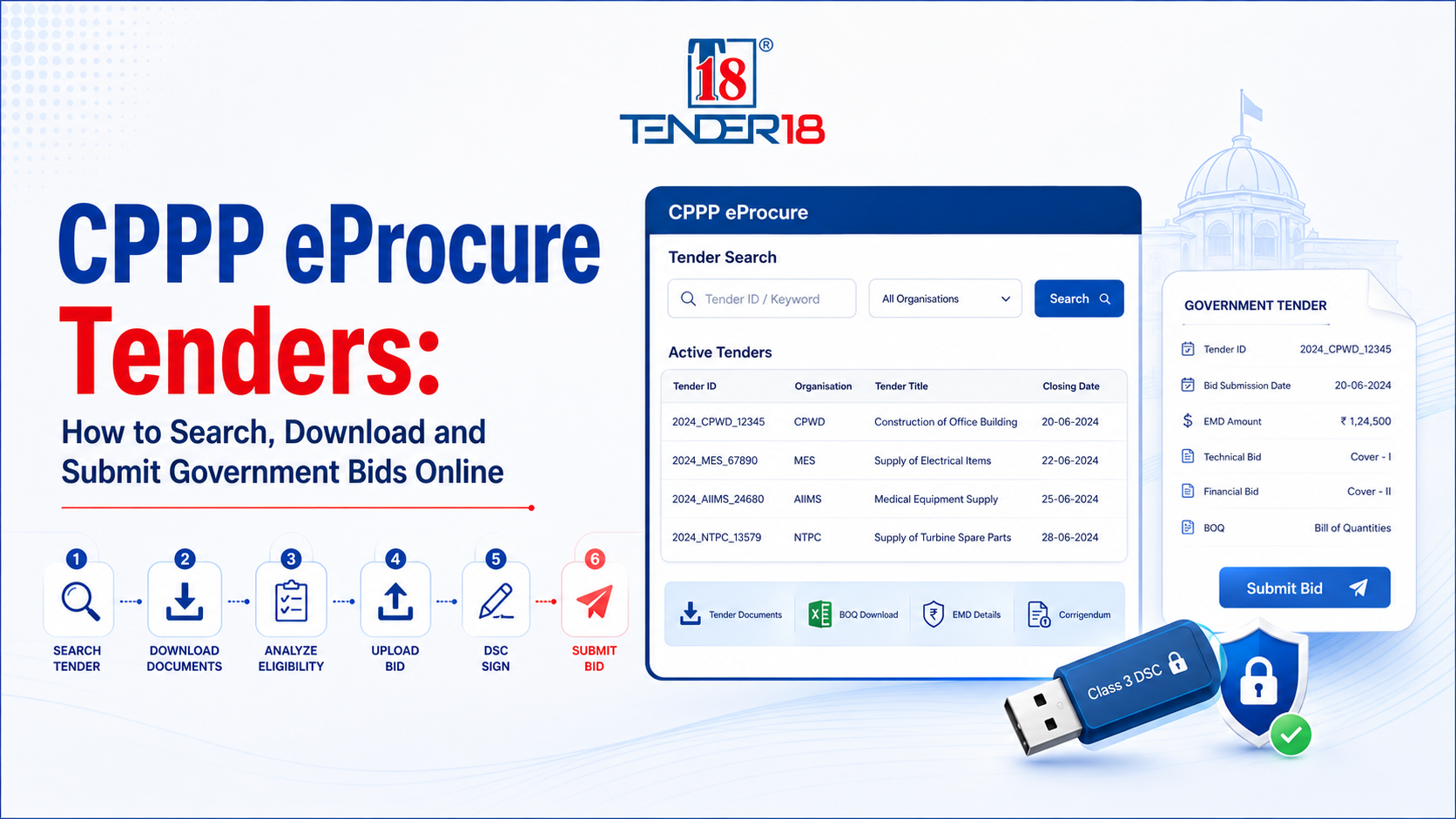
The Central Public Procurement Portal (CPPP), accessible at eprocure.gov.in, is the primary e-procurement platform designed and maintained by the National Informatics Centre (NIC) for the Government of India. Mandated under Rule 149 of the General Financial Rules (GFR) 2017, CPPP serves as the central platform where central government ministries, departments, Central Public Sector Enterprises (CPSEs), and autonomous bodies publish Notice Inviting Tenders (NIT) for public procurements. Unlike marketplace platforms, CPPP operates as an e-publishing and electronic bidding environment where every procurement originates through formal tender schedules. Specialized procurement advisory firms such as Tender18 assist enterprises in navigating these regulatory tendering processes.
CPPP hosts public procurement opportunities across various domain classifications. Civil construction and infrastructure projects are published by organisations like the Central Public Works Department (CPWD) and Military Engineering Services (MES). Medical equipment, pharmaceutical, and healthcare tenders are issued by AIIMS and central health bodies. Academic institutions including IITs, NITs, and central universities publish requirements for campus infrastructure and research systems. Energy sector CPSEs like NTPC, ONGC, and IOCL publish capital equipment and operational service contracts. Entities monitoring central public sector contracts track active listings through specialized directories like CPPP Tenders.
Participation in CPPP tenders is open to domestic and international commercial entities, subject to the specific eligibility criteria detailed in individual tender schedules. Eligible bidders include sole proprietorships, partnership firms, private and public limited companies, Micro and Small Enterprises (MSMEs), Startups, and consortiums or joint ventures. Foreign entities can also register and submit bids on CPPP using valid Class 3 Digital Signature Certificates issued under recognized certifying pathways.
Vendor enrollment on CPPP (eprocure.gov.in/eprocure/app) is conducted online through the "Online Bidder Enrollment" link free of charge. Registrants must provide a valid email address that functions as an unalterable unique Login ID, alongside an active mobile number for system notifications. Bidders complete entity profiles by entering company details, registration numbers, registered addresses, partner or director details, and selecting preference categories such as MSME or Make in India status. Registration is completed by obtaining and mapping a valid Class 3 Digital Signature Certificate (DSC).
Authorized access to the CPPP eProcure portal requires multi-factor authentication. Users enter the registered login email ID, account password, and visual captcha. Once initial credentials are verified, the system prompts the bidder to select the registered Class 3 DSC token connected to the hardware port and enter the corresponding e-Token PIN.
CPPP provides primary and advanced search options to identify active public procurement notices. Primary searches utilize parameters including Tender ID, Keyword, Organisation Name, Location, or Closing Date. Advanced search utilities allow bidders to combine criteria such as organisation, contract form, tender classification, and date ranges. Alternatively, businesses utilize aggregated search platforms such as CPPP Eprocure Tenders to streamline multi-department tender monitoring.
A CPPP Tender Notice contains crucial administrative and operational data that determines bidding eligibility. Key parameters include the Tender Reference Number, Tender ID, Publishing Date, Bid Submission Closing Date, and Bid Opening Date. The notice specifies Tender Value, Earnest Money Deposit (EMD) requirements, cover structure (single, two, three, or four covers), and pre-bid meeting schedules. Requirements vary by procuring entity and individual tender document.
Bidders can download Notice Inviting Tenders (NIT), main tender specifications, and financial Bill of Quantities (BOQ) templates free of cost from the portal. Once logged in, bidders select the desired tender and add it to their "My Tenders" dashboard folder. Moving tenders to "My Tenders" activates automated email and SMS notifications whenever the procuring department issues a corrigendum or time extension.
Eligibility evaluation requires assessing statutory, technical, and financial capability parameters against tender requirements. Technical evaluations assess prior execution of similar works, operational capacity, and specialized certifications. Financial requirements involve minimum average annual turnover, audited balance sheets, and solvency certificates. Statutory parameters verify active PAN and GST registrations.
| Document Category | Required Credentials | Purpose in Tender Submission |
|---|---|---|
| Statutory Credentials | PAN Card, GST Registration Certificate | Legal identity and tax compliance verification |
| Entity Registration | Certificate of Incorporation, Partnership Deed, MSME Certificate | Business status and preferential benefit eligibility |
| Financial Capability | Audited Balance Sheets, Solvency Certificate, Turnover Proof | Verification of financial stability and liquidity |
| Technical Credentials | Past Work Completion Certificates, Purchase Orders | Proof of experience in similar work scopes |
| Security & Signature | EMD Payment Proof / Exemption Certificate, Class 3 DSC | Bid guarantee and cryptographic document signing |
Login to the eProcure portal using the registered User ID, password, and DSC e-Token.
Upload recurring credentials (PAN, GST, financial statements) to the "My Documents" account module to facilitate document attachment during submission.
Select the target tender from "My Tenders" and initiate the online bid submission process.
Fill the downloaded Microsoft Excel BOQ template offline without modifying hidden rows, columns, or cell formulas.
Upload required documents into their designated submission covers (Technical, Commercial, Financial) in PDF format.
Complete Earnest Money Deposit (EMD) details or upload valid MSME/Startup exemption proof.
Cryptographically sign and encrypt the submission packet using the Class 3 DSC before clicking the final submit button prior to bid closing time.
Download and store the official Bid Submission Acknowledgement receipt containing the time-stamp and unique submission ID.
A Class 3 Digital Signature Certificate (DSC) with Signing key usage, issued by a Certifying Authority approved by CCA India, is required for e-tendering on CPPP. Only one valid DSC can be mapped to a registered bidder profile. The DSC validates the authentic identity of the submitter and cryptographically seals uploaded files to prevent tamper attempts.
Earnest Money Deposit (EMD) serves as bid security to guarantee that bidders fulfill contractual commitments if awarded. EMD amounts and payment methods (NEFT, RTGS, BG, or Demand Draft) are specified in the tender document. Micro and Small Enterprises (MSMEs) and recognized Startups may claim EMD exemptions by registering their status in account privileges and attaching valid certificates.
A corrigendum is an official addendum issued by the procuring entity to modify tender conditions, extend submission deadlines, or revise BOQ structures. Bidders must review the latest updates under the "Corrigendum" portal link or within their "My Tenders" dashboard prior to final bid submission to ensure compliance with modified terms.
Bidders monitor evaluation stages via the "Tenders Status" and "Bid Awards" links. Post submission, procuring committees publish technical evaluation summaries, opening dates for financial covers, and contract award summaries indicating the winning bidder (L1). These processes align with broader e-procurement monitoring practices across government portals such as GeM CPPP.
| Bidding Mistake | Potential Operational Risk |
|---|---|
| BOQ Structure Modification | Modifying Excel headers or formulas causes system parsing failure and bid rejection. |
| Expired Class 3 DSC | Prevents cryptographic signature during the final submission stage. |
| Ignored Corrigenda | Submitting bids based on outdated technical criteria leads to technical disqualification. |
| Delayed Final Submission | Network latency near deadline cut-offs can result in automated submission lockout. |
Navigating complex tendering rules and tight deadlines on CPPP can be challenging. As a specialized procurement consultancy, Tender18 streamlines the entire bidding workflow for your business:
Mastering CPPP eProcure (eprocure.gov.in) requires meticulous document preparation, verified Class 3 DSC mapping, and accurate BOQ completion. By staying compliant with tender criteria and monitoring corrigenda, businesses can avoid common bidding mistakes and secure central government contracts.
Looking For Complete Tender Bidding Consultancy? Our Technical Experts Will Help You Prepare And Submit Your Tender Successfully.